चेन्नई की engineering टीमें
XML Views और Java से Kotlin और Compose पर जा रही Android टीमें, या web और backend developers को mobile project पर ला रही कंपनियां।
चेन्नई · Corporate · College · Developer
Kotlin, Jetpack Compose और मॉडर्न app architecture वाली, trainer की खुद ली जाने वाली Android development ट्रेनिंग, चेन्नई से। Developers, engineering टीमों और कॉलेजों के लिए बनाई गई। K P रंजीत कुमार सिखाते हैं, जिन्होंने Google Associate Android Developer सर्टिफिकेशन हासिल किया है और 2016 में AndroidManifester शुरू करने के बाद से 15,000+ लोगों को ट्रेनिंग दी है।
🗣️ ट्रेनिंग इंग्लिश में होगी; आपके डाउट्स हिंदी में भी समझाए जाएंगे।
K P रंजीत कुमार सिखाते हैं · Google Associate Android Developer सर्टिफिकेशन · मनपाक्कम, चेन्नई

किसके लिए
Corporate और developer tracks के लिए किसी भी भाषा में बेसिक programming आनी चाहिए। बिल्कुल नए लोग techmanifester.in के public bootcamp से शुरू कर सकते हैं।
XML Views और Java से Kotlin और Compose पर जा रही Android टीमें, या web और backend developers को mobile project पर ला रही कंपनियां।
जो पहले से थोड़ा code लिखते हैं और आज के तरीके से एक असली Android app build और ship करने का एक व्यवस्थित रास्ता चाहते हैं।
चेन्नई और आसपास के इंजीनियरिंग और आर्ट्स-एंड-साइंस कॉलेज, जिन्हें छात्रों के लिए industry द्वारा चलाया गया Android workshop या value-added course चाहिए।
नतीजे
सिलेबस
Participants के लेवल के हिसाब से modules का क्रम और गहराई बदली जाती है। Beginner batches Kotlin पर ज़्यादा समय देते हैं; अनुभवी टीमें architecture और testing में और गहराई तक जाती हैं।
Topics के नाम वही इंग्लिश शब्द हैं जो industry में इस्तेमाल होते हैं।
वह भाषा जिस पर आगे के सभी modules टिके हैं।
Features लिखने से पहले tools पर पकड़।
पहले composable से पूरी screen तक declarative UI।
Screens को एक app में बदलना।
Business logic को UI से बाहर रखना।
Local storage और network data सही तरीके से।
Callback chains के बिना asynchronous काम।
बढ़ते codebase के लिए संभालने में आसान wiring।
Release से पहले भरोसा।
Debug build से पब्लिश्ड app तक।
फॉर्मेट, शेड्यूल और फीस
फीस फॉर्मेट, अवधि और ग्रुप साइज़ पर निर्भर करती है और एक छोटी call के बाद बताई जाती है। Public bootcamp की कीमतें techmanifester.in पर हैं।
चेन्नई में आपके ऑफिस में ऑन-साइट, या अलग-अलग जगह की टीमों के लिए लाइव ऑनलाइन। आपके codebase और लक्ष्यों पर एक call के बाद तय की जाती है।
आपकी computer lab में hands-on sessions: एक दिन के workshop से 30 घंटे के value-added course तक।
Public bootcamps और beginner workshops techmanifester.in पर हैं।
TechManifester क्यों
पूरे program के लिए एक ही trainer। आप उसी से सीखते हैं जिसने सिलेबस बनाया, बदलते पैनल से नहीं।
उदाहरण असली apps ship करने के अनुभव से आते हैं। रंजीत अपने खुद के Android apps Google Play पर पब्लिश करते हैं, इसलिए release, crash और review की समस्याएं अनुभव से सिखाई जाती हैं।
XML-first नहीं, Compose-first। नई screens उसी तरीके से बनती हैं जो Google अब सुझाता है; जो टीमें अभी भी Views संभालती हैं, उनके लिए एक छोटा bridge हिस्सा है।
Corporate गहराई। इसी trainer ने IBM India, Toyota Connect, Tata Steel, Sify और KPIT की टीमों के लिए Android programs चलाए हैं।
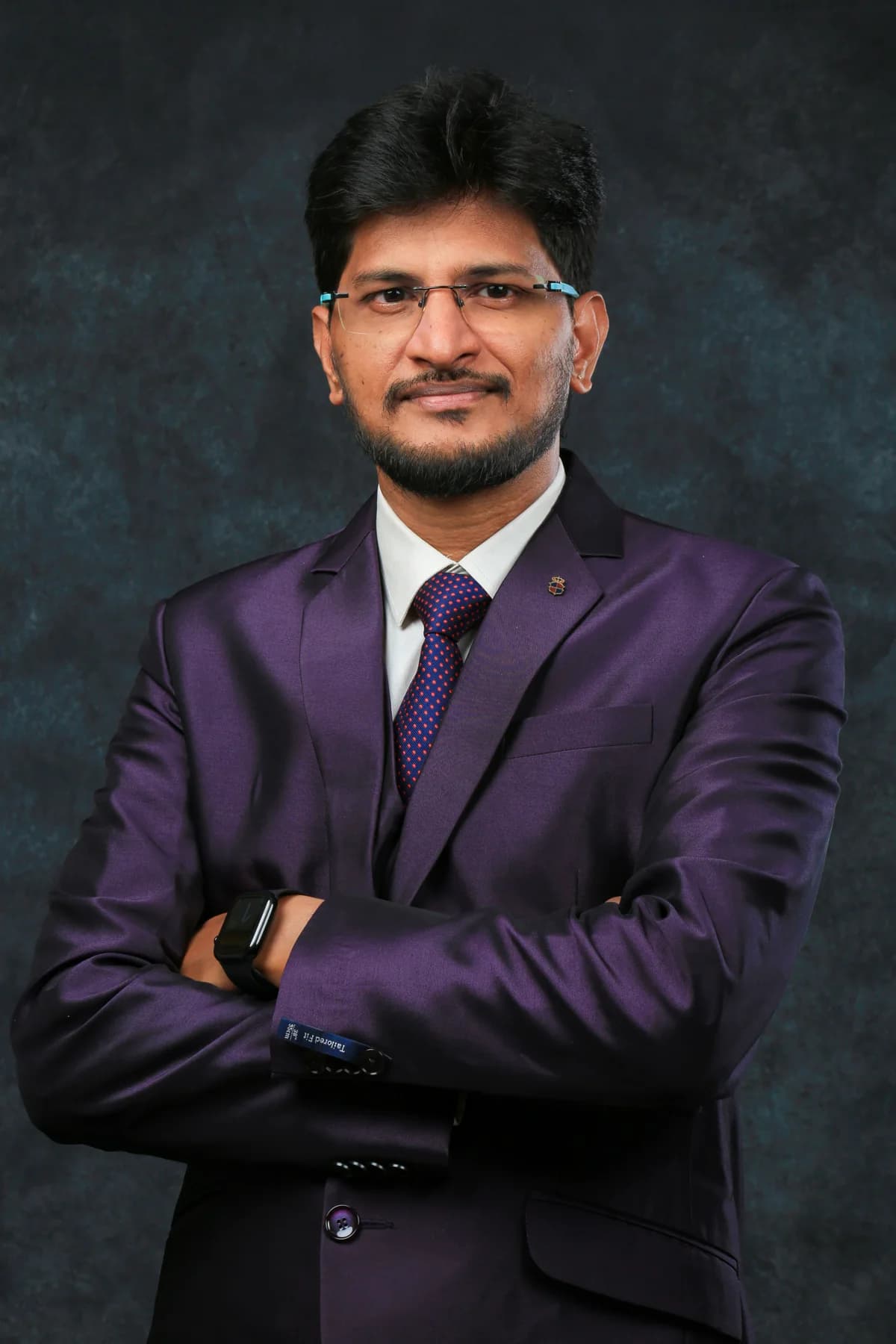
आपके trainer
रंजीत के पास 12+ साल का अनुभव है और वे 15,000+ लोगों को ट्रेनिंग दे चुके हैं। 2016 में उन्होंने चेन्नई में AndroidManifester शुरू किया, जो आज TechManifester बन चुका है। उन्होंने Google Associate Android Developer सर्टिफिकेशन हासिल किया है और अपने खुद के apps Google Play पर पब्लिश करते हैं।
जिन कंपनियों और संस्थानों में उन्होंने ट्रेनिंग दी है, उनमें से कुछ: Tata Steel, Toyota Connect, IBM India, IIT Hyderabad, IIT Madras, INTI International University Malaysia, Sify, KPIT.
Founder के बारे में (इंग्लिश में) पढ़ेंअक्सर पूछे जाने वाले सवाल
ट्रेनिंग इंग्लिश में होगी। जहां समझ न आए और आपके डाउट्स के लिए हम हिंदी में समझाएंगे। यह पूरी तरह हिंदी में चलने वाली ट्रेनिंग नहीं है। Code, tools और slides सब इंग्लिश में रहेंगे।
TechManifester के फाउंडर K P रंजीत कुमार। उन्होंने Google Associate Android Developer सर्टिफिकेशन हासिल किया है, उनके पास 12+ साल का अनुभव है और वे 15,000+ learners को ट्रेनिंग दे चुके हैं। 2016 में उन्होंने चेन्नई में AndroidManifester शुरू किया, जो TechManifester बना।
Corporate sessions चेन्नई में आपके ऑफिस में या लाइव ऑनलाइन। कॉलेज sessions कॉलेज की lab में। TechManifester मनपाक्कम, चेन्नई 600125 में है।
Kotlin। जो टीमें अभी भी Java code संभालती हैं, उनके लिए mixed codebase में काम करने को एक छोटा Java-to-Kotlin module है।
Course का मुख्य UI toolkit Compose है। XML Views सिर्फ वहीं कवर होते हैं जहां टीम अभी भी उन्हें संभालती है, जिसमें मौजूदा XML app में Compose जोड़ना भी शामिल है।
फॉर्मेट पर निर्भर है: एक दिन के hands-on workshop से 30 घंटे के program तक। Corporate programs आपकी टीम के काम के हिसाब से हाफ-डे या फुल-डे sessions में रखे जाते हैं।
हां। हर module एक ही working app में जुड़ता है, ताकि अंत में हर किसी के पास खुद बनाया हुआ project हो, सिर्फ slides नहीं।
नहीं। ट्रेनिंग practical skills और एक portfolio project पर केंद्रित है। TechManifester नौकरी या placement का वादा नहीं करता।
हां, techmanifester.in के public bootcamps के ज़रिए, जो बिना coding अनुभव वाले लोगों के लिए बने हैं।
संबंधित ट्रेनिंग
टिकाऊ क्षमता
टीम का साइज़, tech stack और आप जो नतीजा चाहते हैं, शेयर करें। Sales desk से नहीं, सीधे रंजीत से बात होगी।